
How do I declare my swimmer available for a meet?
.
- When you log into your account you will see the calendar showing upcoming events. It may look a little different than these photos as this is just an example.
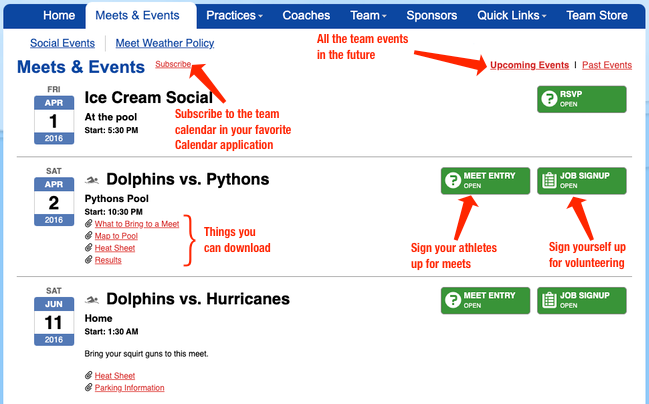
- You will click on Meet Entry and see a list of your swimmers
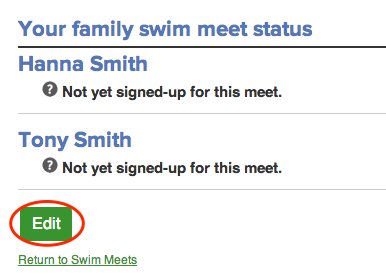
- Select Edit and then you will see the options available.
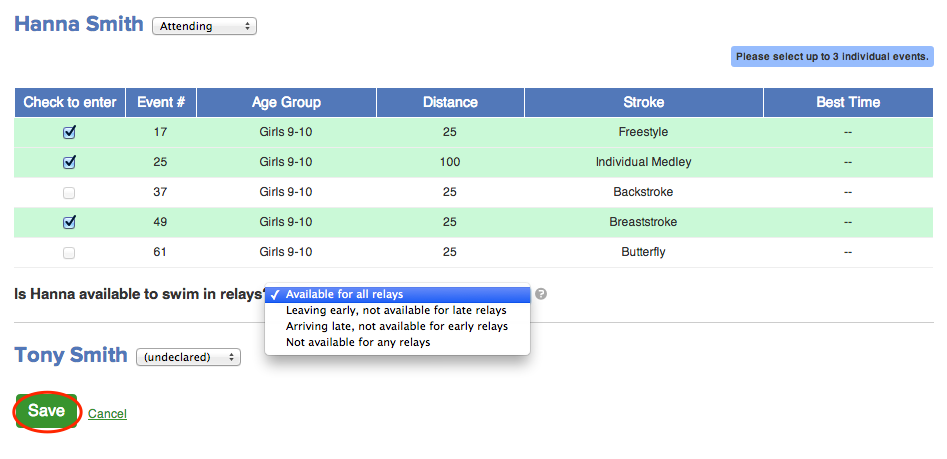
- You will see your swimmers name and a drop down so you can select if they are attending or not attending. You will also have the option to say if your swimmer is available for relays (early and late) as well as leave a note for the coaches with any information you might need to help inform them of, ie. a swimmer hurt their shoulder so you don't think butterfly would be a good stroke for them that meet.
- Then you will click save at the bottom of the screen/
Text Area
Simple formatted text


